How do I send Static Lock codes to guests via Automation messages?
Last updated: July 3, 2026
Context
When using Static Locks in Guestway, you may want to send the access code to guests automatically at a specific time — for example, 1 hour before check-in — rather than relying solely on the Guest Portal display. To do this, you can use Guestway's Automation feature with the correct placeholder variable for lock codes.
Answer
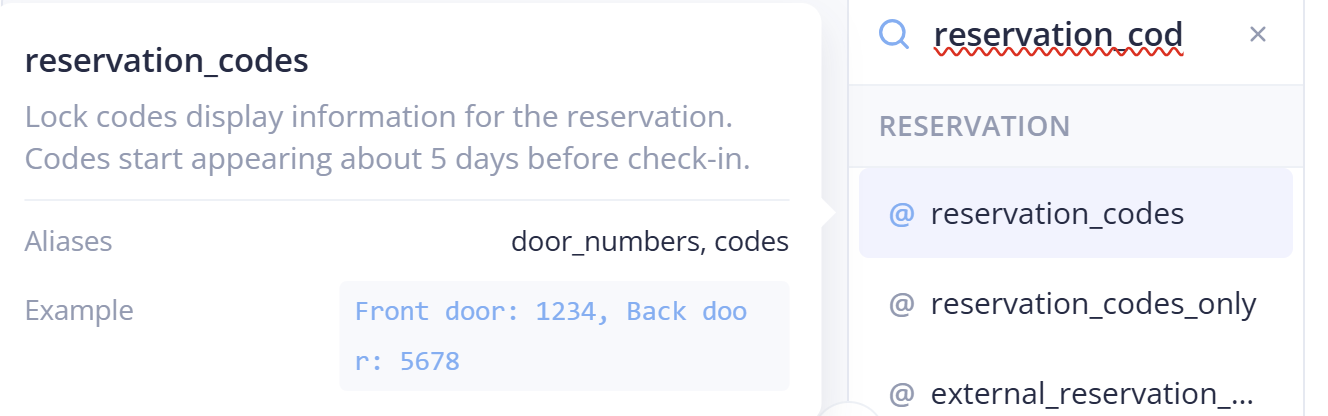
To include a Static Lock code in an automated message, use the variable @reservation_codes in your message template. This variable works for both Smart Locks and Static Locks — it will include the relevant access code(s) associated with the reservation.
Here is an example of how a message template using this variable might look:
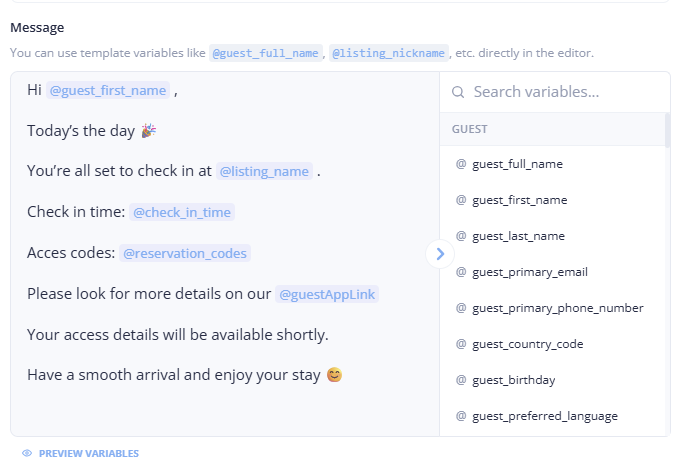
You can hover over any variable in the message editor to see its description and an example of what it outputs.
To send the code exactly 1 hour before check-in, configure your Automation trigger with an offset of –1 hour relative to the check-in time. This allows you to control precisely when the guest receives their access code, independent of when it appears in the Guest Portal.
For more details, refer to the Automations documentation and the Static Locks documentation.